Getting started with Milan Manager
Info
- Get Milan Manager from: https://milanmanager.com/
- The signal flow from Talker to Listener is depicted from the left to the top
- An extensive online documentation can be found here: docs.milanmanager.com.
- A list of all known Controllers can be founde here: Control
| Step | Screenshot |
|---|---|
| Media Clock Configuration Important This step only has to be configured with a new unconfigured Milan Network! After opening Milan Manager for the first time, select the Devices tab. |
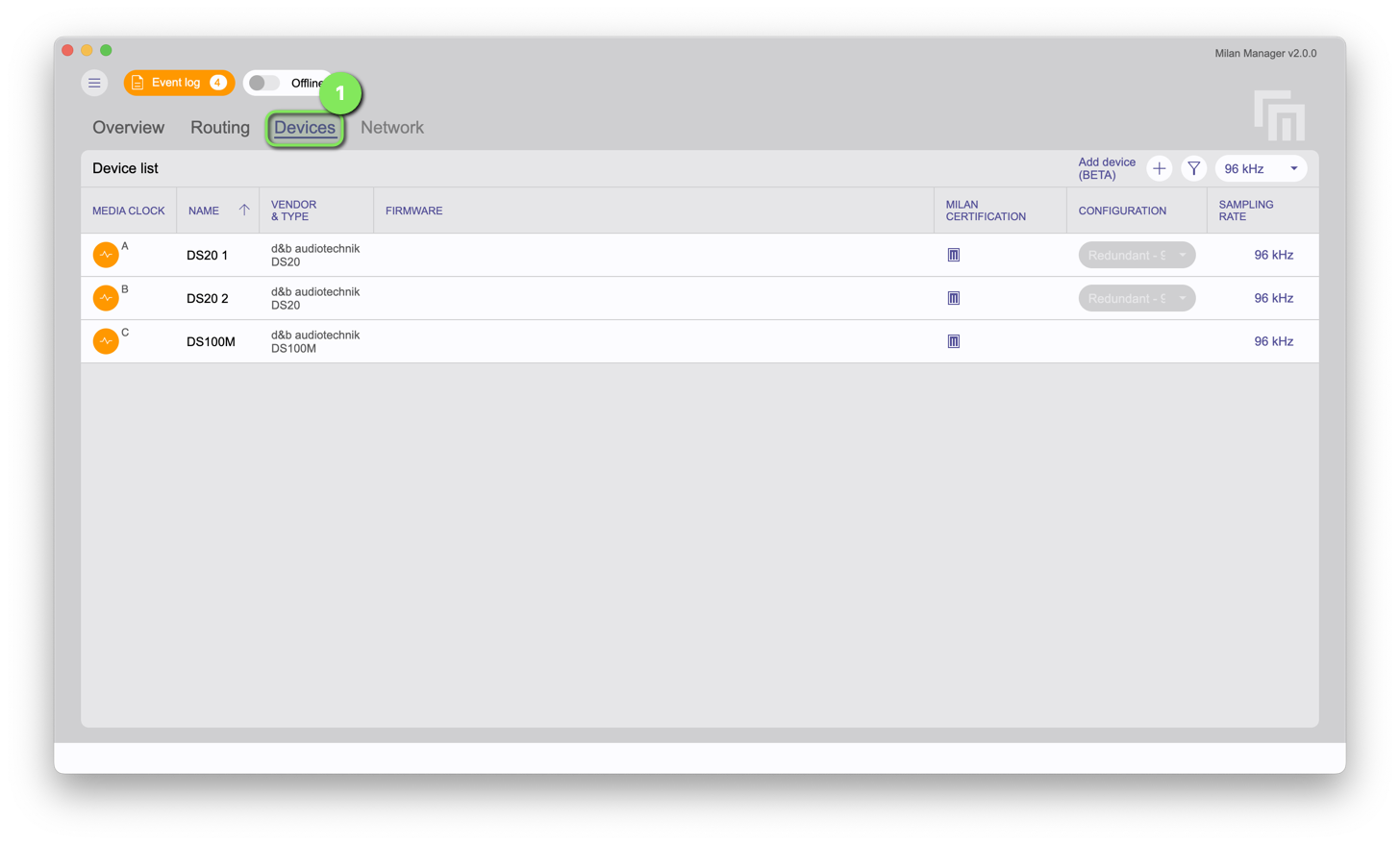
|
| Select the Media Clock Master for the Media Clock Domain. | 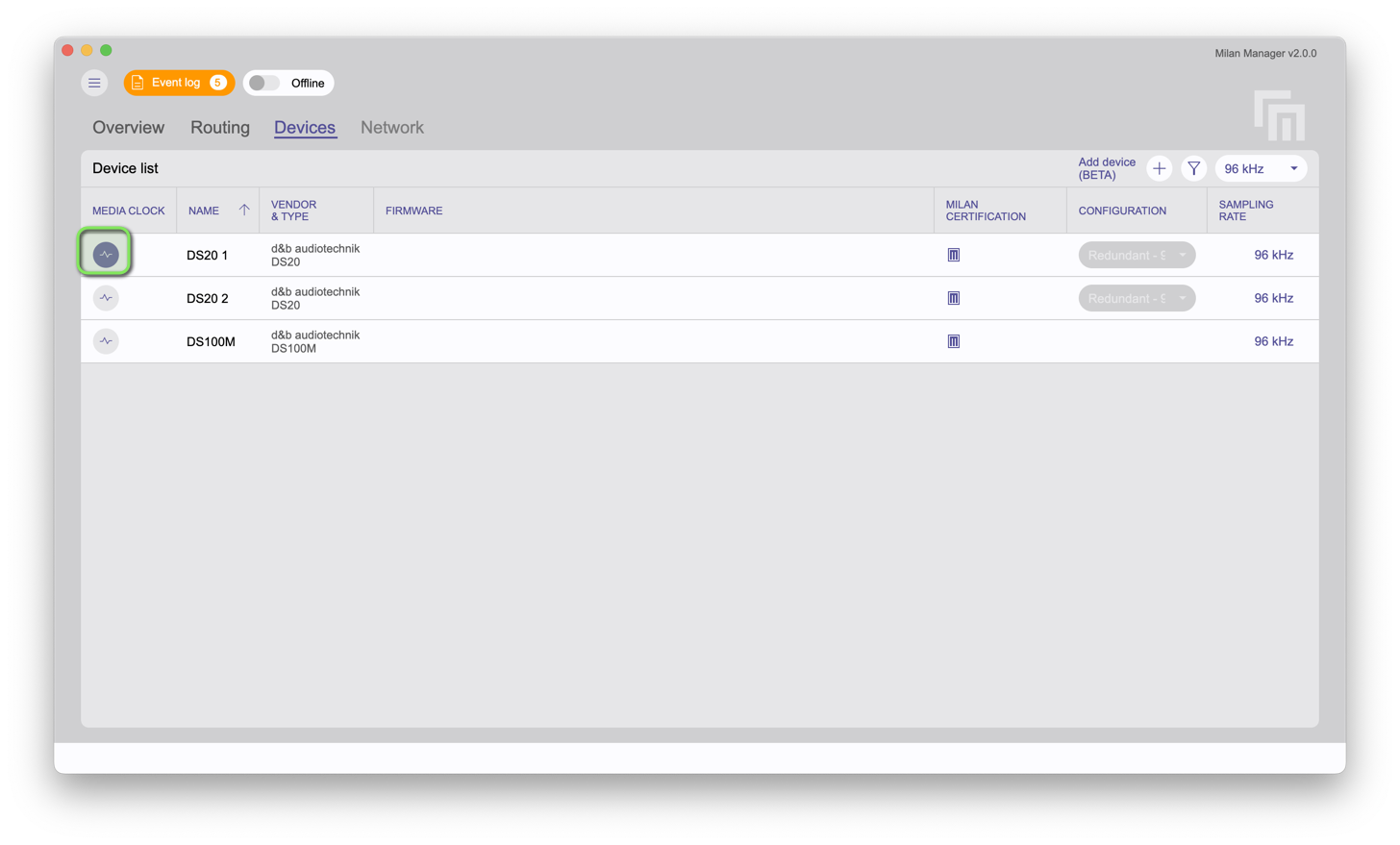
|
| Stream Connection In the Overview tab, connect the streams from the Talker to the Listener |
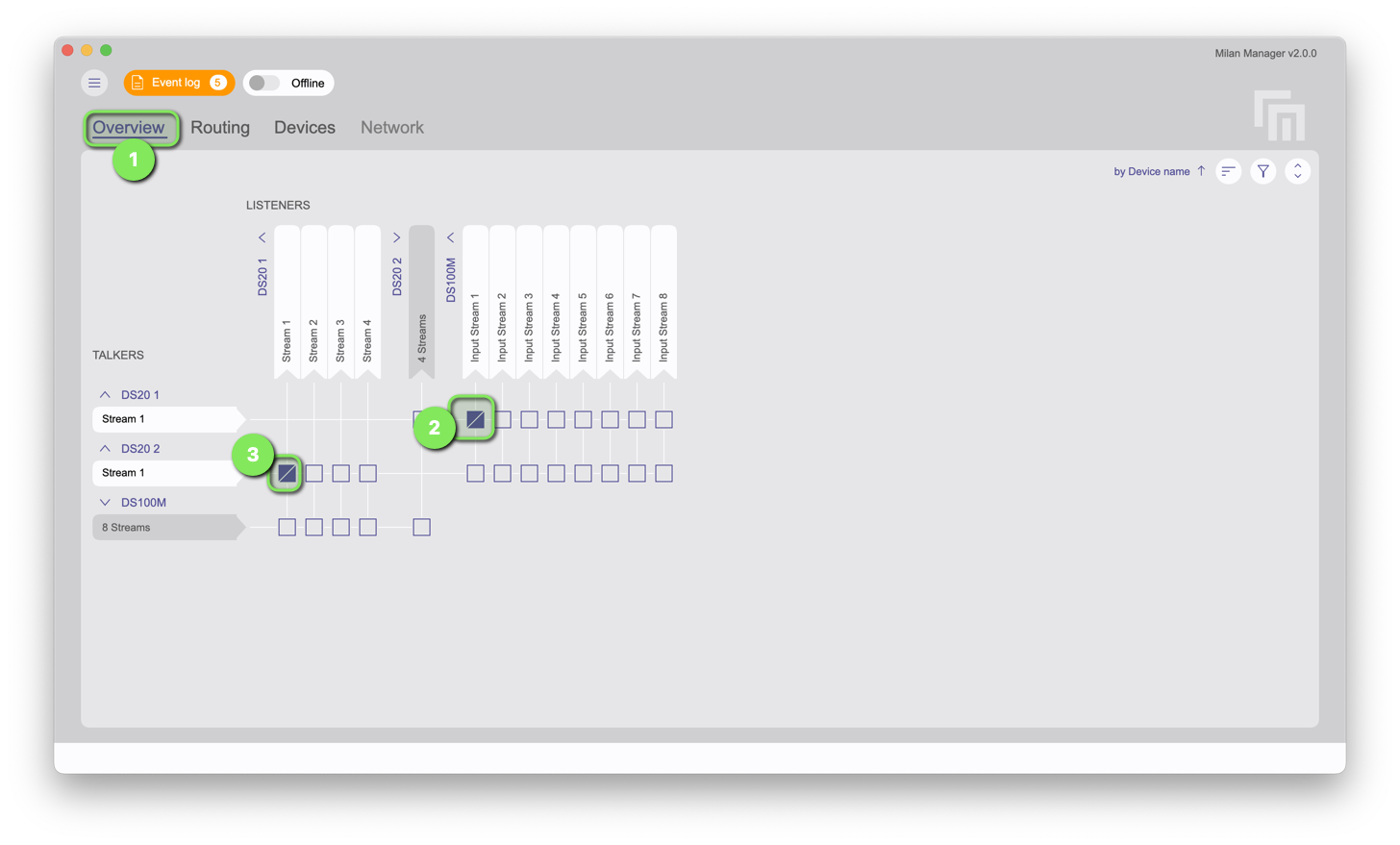
|
| Channel Routing In the Routing tab, select the Listener and configure the channels routing |
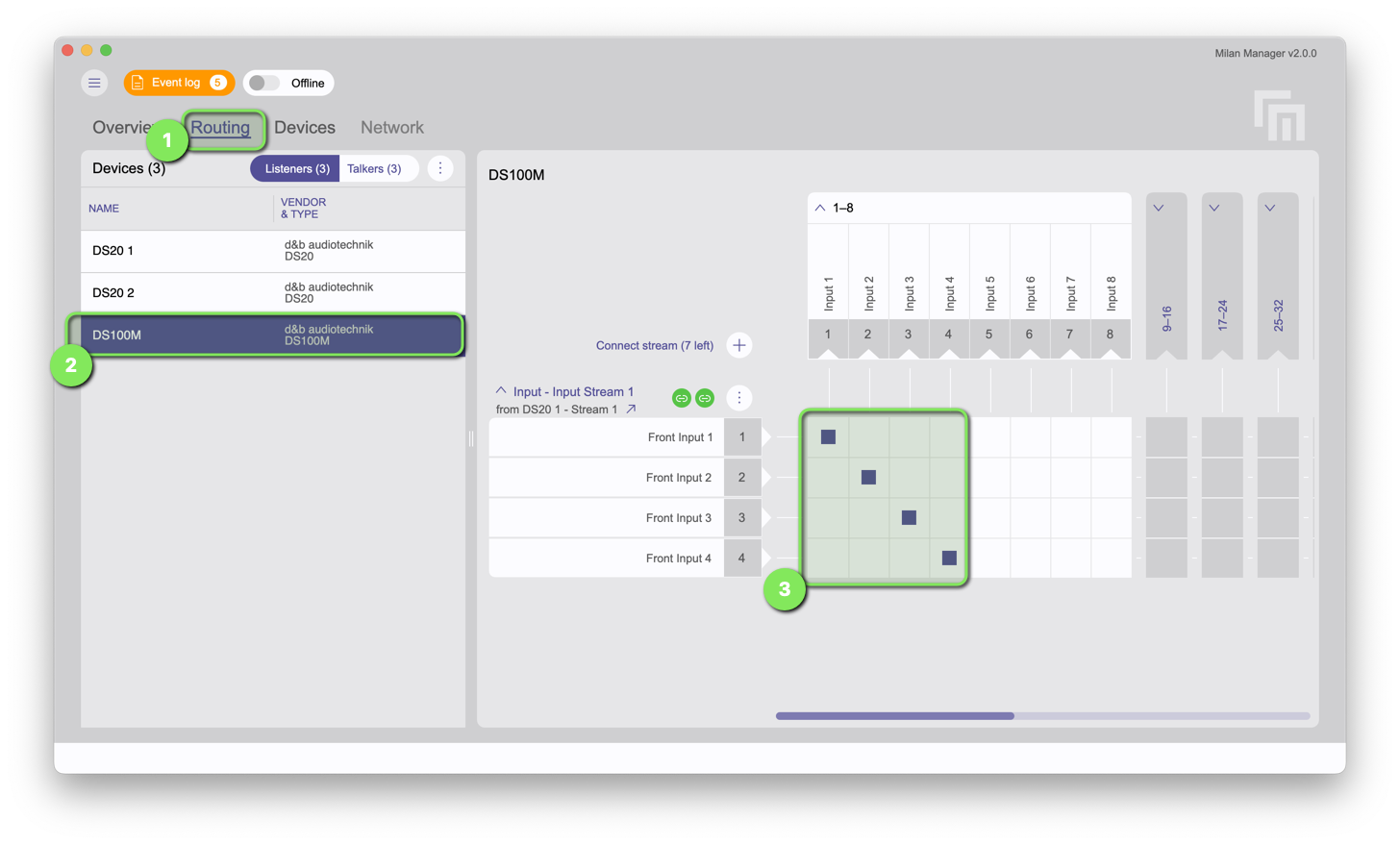
|
Offline documentation
| Step | Screenshot |
|---|---|
| Extensive documentation on the features of Milan Manager is available after installing the software. Navigate to Main Menu - Help. | 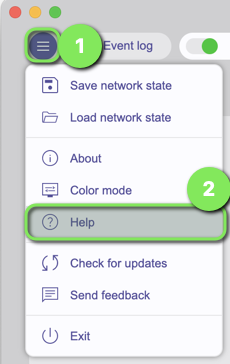
|